
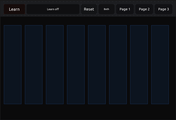
Layout
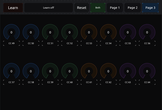
The document is 1000 × 690. A top bar stays visible on every page. The top bar has Learn, a status line, Reset, Bridge, and the page buttons Page 1, Page 2 and Page 3. Pages 1 and 2 hold 8 faders each, 16 in total, named f1 to f16. Page 3 holds 16 radial knobs in two rows of 8, named k1 to k16. Each shows its live value from 0 to 127 in the centre and its CC number underneath. Every control shifts from a dim colour to a bright one as it moves.
Default MIDI mapping (channel 1)
Controls Sends Faders f1–f16 14-bit CC: MSB on CC 1–16 and LSB on CC 33–48 Radials k1–k16 7-bit CC 49–64
Learn
With Learn on, touching a control arms it. The next incoming MIDI CC or OSC message is bound to it. A MIDI CC binds that CC and channel. For faders, the 14-bit pairing is automatic: CC 0–31 is treated as the MSB with its LSB 32 higher, CC 32–63 as the LSB, and CC 64 and above as plain 7-bit. An OSC message binds its address. A float is read as 0 to 1 and an integer as 0 to 127. A control can hold both a MIDI mapping and an OSC address. Learn each by arming the control again. Learned mappings are stored in each control’s tag.
Bridge modes
Each tap on Bridge moves to the next mode:
Mode Behaviour Both (green) MIDI becomes OSC and OSC becomes MIDI, with an echo guard that ignores a bounced-back message for about 150 ms OSC>MIDI (blue) OSC in becomes MIDI out. Nothing is sent out over OSC MIDI>OSC (orange) MIDI in becomes OSC out. Incoming OSC is ignored Off (grey) MIDI only
OSC addresses used by the bridge
/midi/cc/[HTML_REMOVED]/[HTML_REMOVED] as a float from 0 to 1 /midi/cc14/[HTML_REMOVED]/[HTML_REMOVED] as a float from 0 to 1, which sends the MSB and the LSB 32 higher /midi/note/[HTML_REMOVED]/[HTML_REMOVED] as velocity from 0 to 1, with 0 meaning note off /midi/pitchbend/[HTML_REMOVED] as a float from 0 to 1 /midi/pc/[HTML_REMOVED] as the program number
When you move a control
It sends its MIDI. If the Bridge mode allows OSC out, it also sends its /midi/... address and any OSC address you’ve learned for it. Controls send only while you’re touching them. A value moved by incoming data doesn’t echo back out.
Status line
Incoming MIDI shows as MIDI: CC 7 ch1 = 64, and incoming OSC as OSC: /path 0.5. When a message moves a learned control, it adds -> f1 or the control’s name. In a mode that ignores OSC, it shows (ignored).
Reset Puts every control back to its default mapping and clears any learned OSC addresses.


Comments
Log in to comment